iroh shambo
Paper beats Rock
Rock
Download Iroh Shambo


Product Tour
Overview
Main Screen
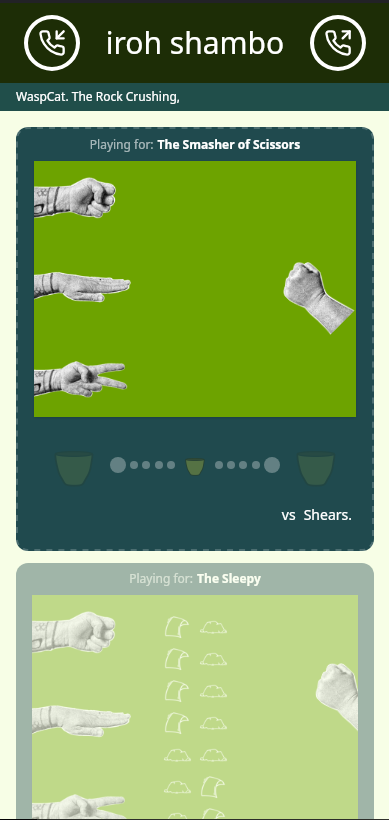
Pretty much everything can be seen from here. Joining is at the top. The username and title belts are below that. Then there are a series of Ro Sham Bo matches, some against a local opponent with a discoverable pattern, and some against other humans.
Paring Buttons

To pair with a human, use the incoming and outgoing call buttons.
Listen/Incoming Call
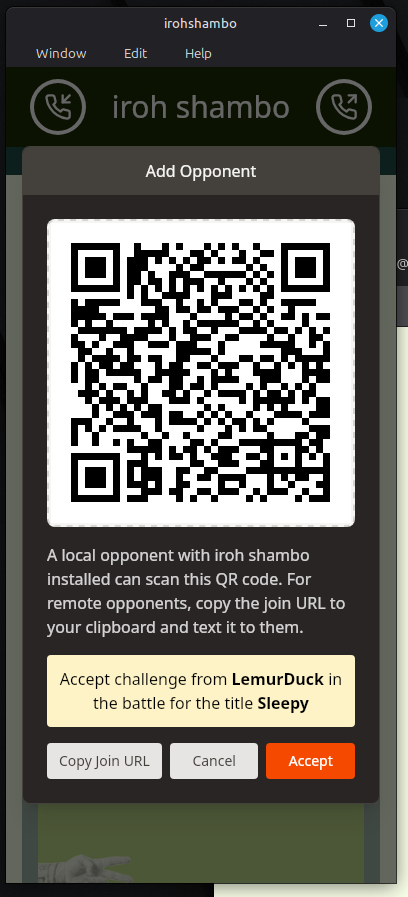
This is a listening device that has an incoming call. The incoming username will be displayed, and one of a set number of user generated "title" belt names will appear.
"Copy Join URL" is what you use if the user is remote. The text they need to enter can be texted. Since your device connect to each other directly, both devices must be online to pair.
Join/Outoing Call
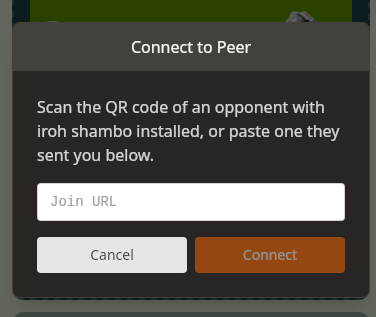
There are two ways to get the join URL into this box. Scan a QR code, and you should be prompted to open the url in Iroh Shambo. The second way is to receive a message sent from your friend. Copy/paste the Join URL into the window.
Game Window
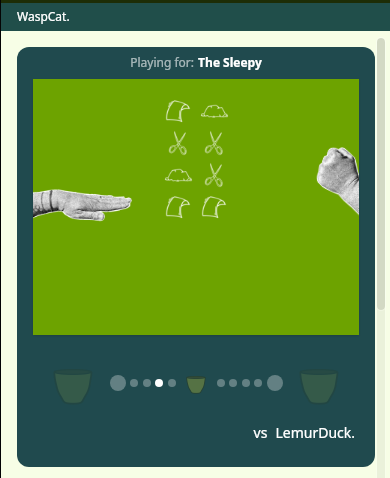
Your username show up in the top bar across all your games. Here, your local name is WaspCat! When WaspCat and LemurDuck connected, they decided to play for The title of "The Sleepy".
Winning A Title
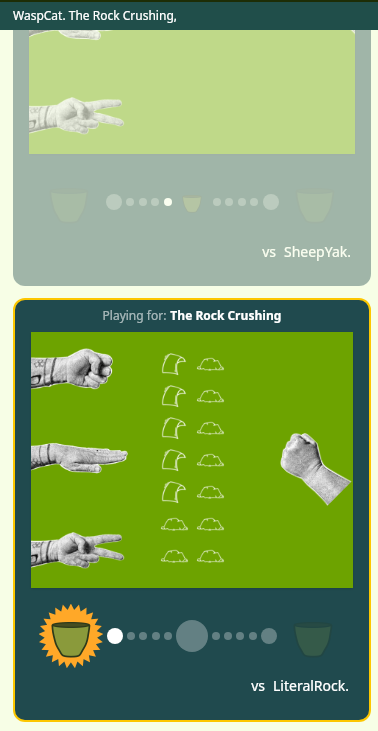
You win against an opponent by getting the white dot all the way to your side of the game area. In this case, WaspCat has defeated A Literal Rock. Notice at the top, WaspCat is now known as "WaspCat. The Rock Crushing ,". As WaspCat wins more titles, they will stack up behind their name. What will you become?
Losing a match does not immediately make you lose your title. The opponent must battle you back to even before the title again becomes contested.
Paper
Privacy
iroh shambo uses an advanced networking technology named Iroh. Iroh allows one device to connect directly to another device by "dialing" the device's secure key. Iroh addresses are long, you can transfer them by copy/paste or by QR code. The secure key is both an address and an encryption key.
Iroh addresses are also transient. If you click an opponent's username in the iroh shambo interface, you have the option to delete that opponent. That opponent can no longer connect to your device. If you delete all opponents, Iroh Shambo will exit and generate a new secure address. There is no further attachment between your device and the previous address.
All of the game data for Iroh Shambo is stored on your device. Each opponent will have a history of your games with them.
Currently, Iroh Shambo is running on Iroh's public relays. Iroh's relays have these privacy and security properties.
Scissors
Disclaimer
"iroh shambo" is not affiliated with or endorsed by n0.computer. Technical descriptions provided here are intended to bring everyday clarity to the benefits and possibilities of the technology. For detailed, technical information on Iroh, please visit their site.